![doba-logo-flat-small.png]](https://knowledge.dobasuccess.com/hs-fs/hubfs/doba-logo-flat-small.png?height=40&name=doba-logo-flat-small.png)
Ideally, you do want to have excel on your computer, to make the process a lot easier. If you do not have excel on your computer, you are able to use Google Sheets. You can find Google Sheets in your Gmail account, if you don’t have a Gmail account, creating one is very simple.
You will want to download your inventory list and, open it in Google Sheets once you have your Google Sheets up, your screen should look like this 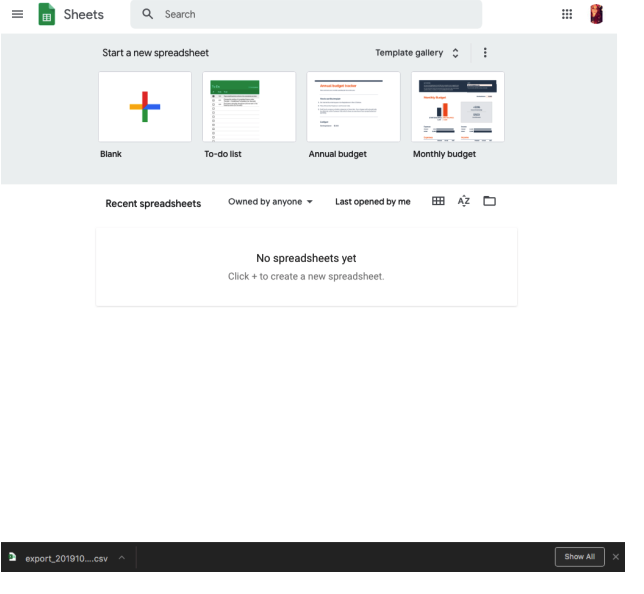
Next, you will click the “Blank” option under Start A New Spreadsheet.
Once you select the blank option, it will pull up an unused spreadsheet. You will click on “File” and “Open” . 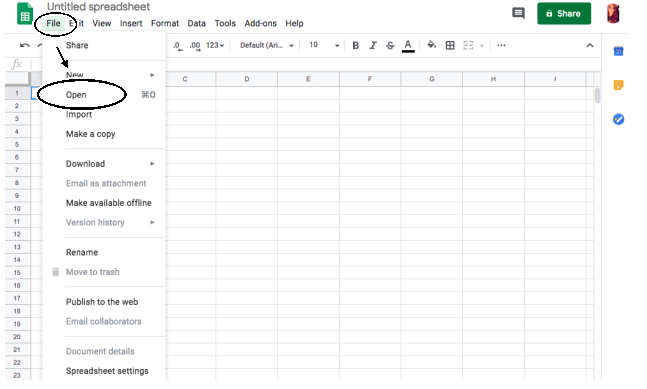
Once you press Open, your screen will look like this
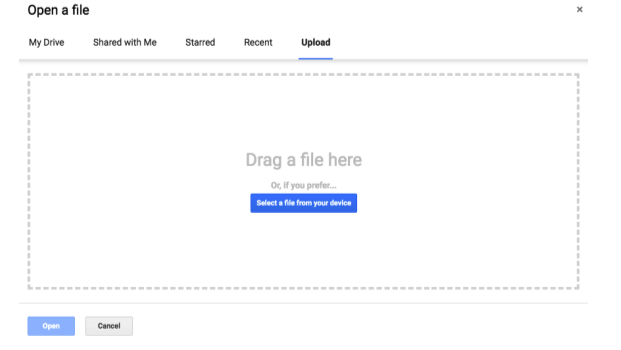
You will press “Select a file from your device” And select the export file that you exported from Doba. It should have downloaded in your downloads folder & will start with the word Export.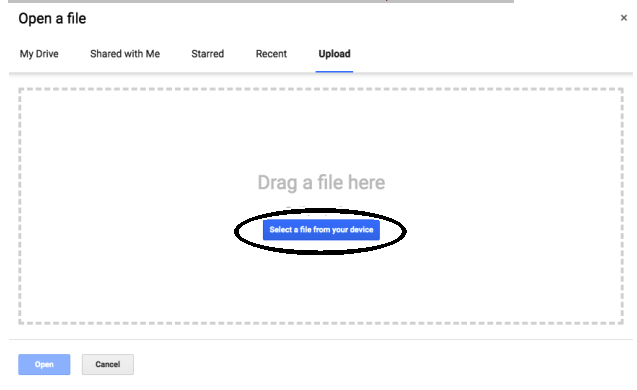
Now, your page should look like this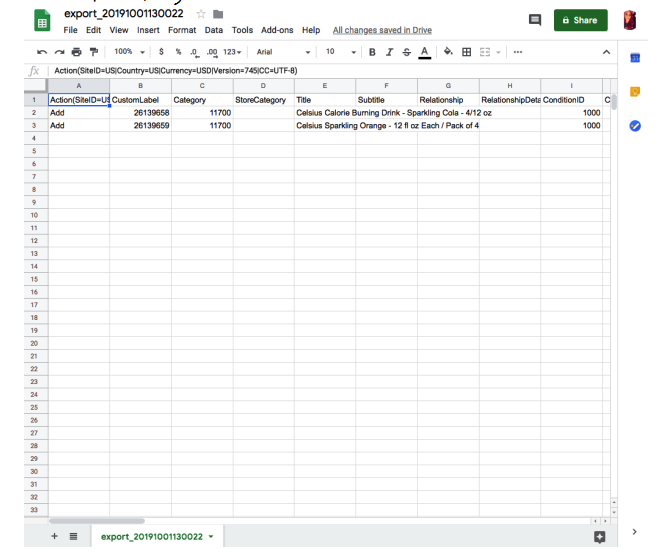
Now you can make changes to the spreadsheet like adding UPC's if the item does not already have one, change the item pricing, qty, name, description, etc.
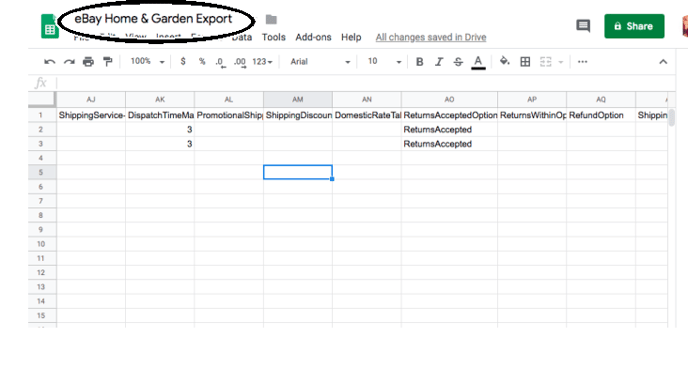
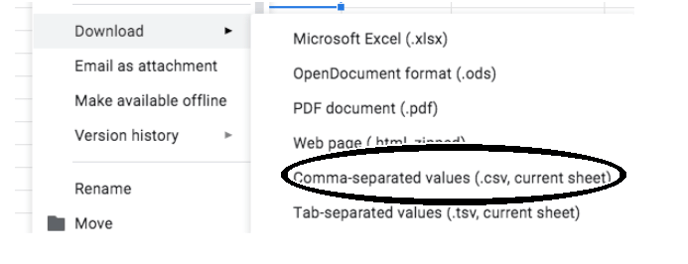
Once you have made your desired changes, you will go up to the top and name your file and, you will need to save it as a .CSV
Importing:
You will then go to the eBay file exchange page: https://www.ebay.com/sh/reports/uploads
Go the Uploads section of the page, which looks like this: 
Click start upload

You will then select your file, after you have selected your file it will automatically upload.