How do I update my contact information?
To update your contact information please follow the steps below:
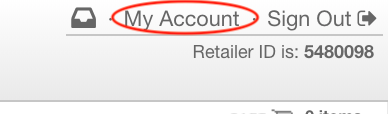
Log into your Doba.com account. On the right-hand side of your screen please click "My Account"
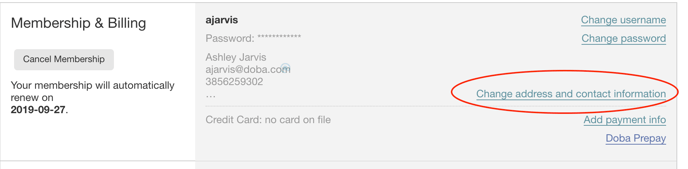
After hitting "My Account" please refer to the section called "Membership&Billing" and, click "Change address and contact information" from there you will be able to update and save your contact information