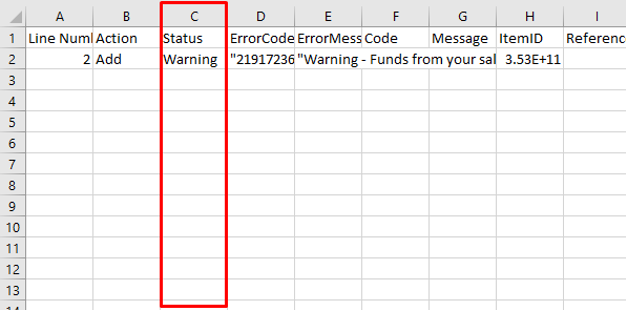
If you are wanting to make changes to your file before importing, you will need to do so in either Google Sheets or Excel.
To make changes to your spreadsheet in Excel, you will open your file. Here you will have multiple columns that can be changed. The most common changes made are adding UPC's to items that do not already have one, Price, Quantity, Name, Description, etc.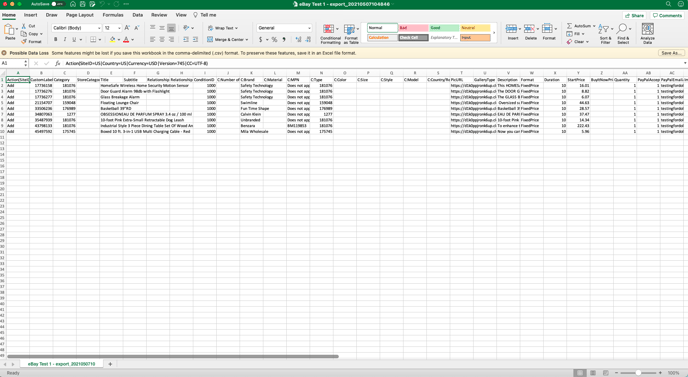
Once you have made your desired changes, you will need to make 1 more adjustment, the UPC column.
When opening the sheet in Excel, Excel will automatically formulate the UPC column, you need to change it back to numbers.
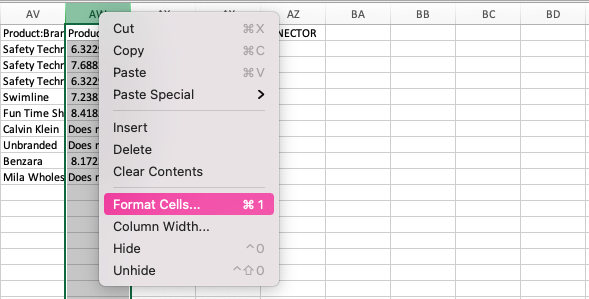
You will go to column AW & right click. Then you will select Format Cells
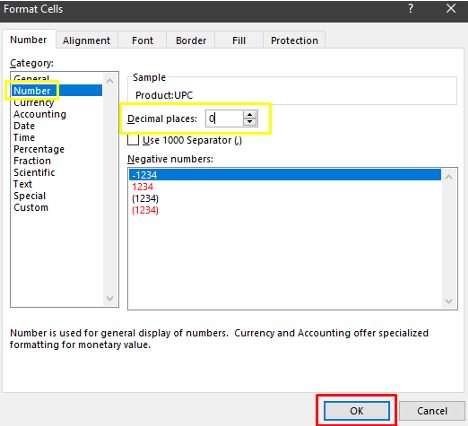
You will then click on Number on the left-hand side, & change the decimal place from 2 to 0 & press OK.
You will then go to the eBay file exchange page: https://www.ebay.com/sh/reports/uploads
Go the Uploads section of the page, which looks like this: 
Click start upload

You will then select your file, after you have selected your file it will automatically upload.
You will then see the following screen: